Markdown cheat sheet
Find the thing you need. Copy the example. Change the words.
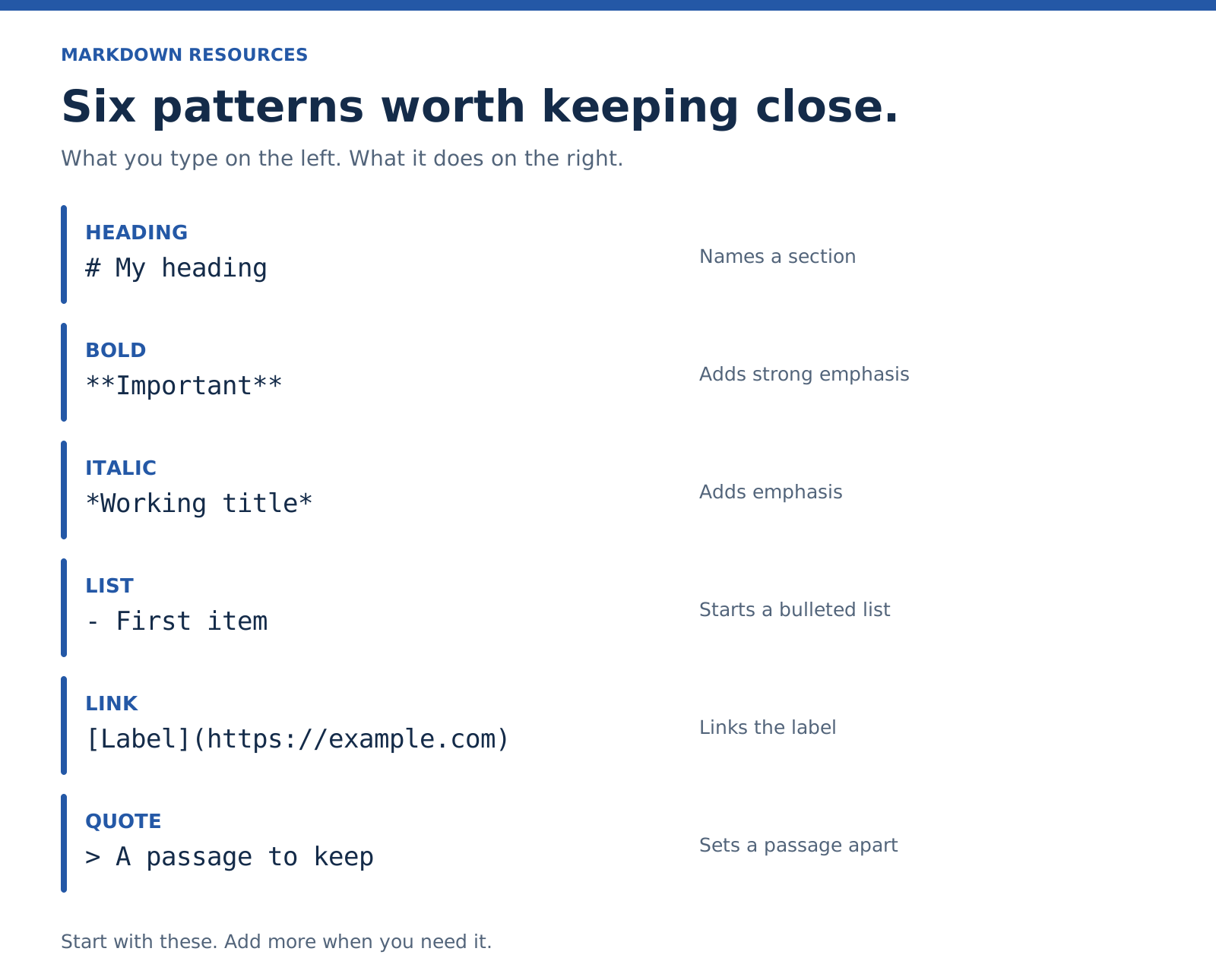
Everyday syntax
Headings
# Document title
## Main section
### Smaller section
Use heading levels in order. A heading describes the content beneath it.
Bold and italic
**Bold text**
*Italic text*
Bulleted and numbered lists
- An item
- Another item

1. First step
2. Second step
A nested list
- Project
  - Draft
  - Review
For this dash-list example, two spaces put the child items beneath the parent. Other list markers can require different indentation. If a nested list stays flat, check the marker width and your app’s behavior.
Links
[Readable label](https://example.com)Images
The exclamation mark makes it an image rather than a link. The path must point to an image your viewer can access. Write alt text for the information the image conveys; decorative images can use empty alt text.
Quotes
> A passage worth keeping.A blockquote formats a passage. It doesn’t supply attribution. Add the author and source when you quote someone.
Inline code
Use `filename.md` for this example.Code blocks
Put three backticks on their own line before and after the code. A language label may enable syntax highlighting in apps that support it:
```swift
let title = "Draft"
```
A divider
A paragraph above the divider.

---

A paragraph below it.
Leave blank lines around the divider. A row of dashes directly beneath text can be interpreted as a heading underline.
A literal symbol
\*This is an asterisk, not emphasis.\*A backslash can escape Markdown punctuation. For a whole example, a code span or code block is often easier.
Check support in your app
These are useful, but they aren’t all part of the same Markdown specification.
Checkboxes — GFM extension
- [ ] Read the draft
- [x] Write the outline
These describe task-list items. Whether you can click a checkbox depends on the app. They do not automatically create reminders or scheduled tasks.
Tables — GFM extension
| Item | Status |
| --- | --- |
| Draft | Ready |
| Review | Next |
The separator row below the header matters. Keep tables small enough to read on a phone.
Strikethrough — GFM extension
~~Old wording~~Footnotes — extension with varying support
A sentence with a note.[^1]

[^1]: The extra detail belongs here.
Front matter — app or publishing convention
---
title: "Project brief"
tags:
  - writing
status: draft
---
This is metadata placed at the beginning of a document by tools that understand it. It is not a universal Markdown feature. Field names and accepted values depend on the tool.
One last check
A valid example can still render differently in another app. If you’re sending a document, preview it where the reader will see it.
Next: Understand compatibility · Fix a problem.
More examples you can adapt
A heading with useful emphasis
## Review notes

The **deadline is Friday**. The title is still *provisional*.
A link inside a sentence
Read the [CommonMark specification](https://spec.commonmark.org/)
if you need the exact parsing rules.
A reference-style link
When the same destination appears several times, keep the address in one definition.
Check the [specification][commonmark] before changing the example.

[commonmark]: https://spec.commonmark.org/
A small comparison table — GFM extension
| Format | Useful when |
| --- | --- |
| Markdown | Someone needs to edit the text |
| PDF | Someone needs a fixed presentation |
Keep a pipe inside a table cell — GFM extension
Escape a literal pipe so it doesn’t split the cell.
| Symbol | Name |
| --- | --- |
| \| | Pipe |
A literal piece of Markdown
Type `**deadline**` to emphasize the word.Need more explanation? Open line breaks, nested lists, or images and paths.