Markdown line breaks: new lines or new paragraphs?
For a new paragraph, leave a blank line. For a line break inside the same paragraph, end the line with a backslash or two spaces in a CommonMark-compatible viewer. Pressing Return once usually creates a soft break, which the viewer may display as a space.
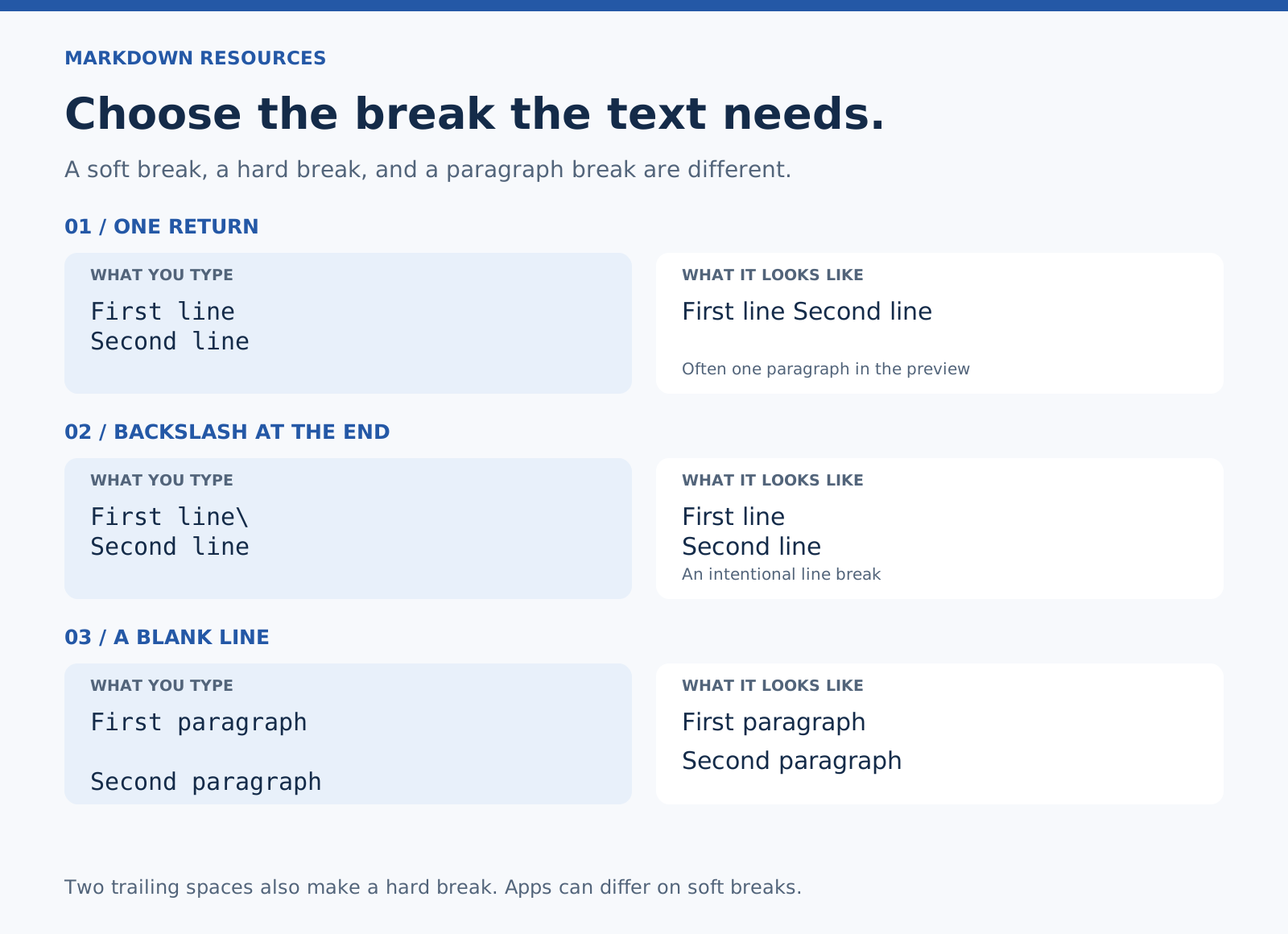
Choose the break for what the text means. Two separate thoughts belong in separate paragraphs. An address or a short verse may need several lines within one paragraph.
Example 1: one Return creates a soft break
The draft is ready.
The examples need a check.
A viewer can display these sentences together in one paragraph. Some apps deliberately preserve ordinary line endings, so check the reading view before deciding the formatting failed.
Example 2: a blank line creates a new paragraph
The draft is ready.

The examples need a check.
This is the useful default for ordinary prose. The result has two paragraphs; their visible spacing comes from the viewer’s styles.
Example 3: a backslash makes an intentional line break
Example Studio\
42 Sample Street\
Memphis, TN
The backslashes are at the ends of the lines, with nothing after them. In the rendered result, the address stays on three lines within one paragraph.
Example 4: two trailing spaces do the same job
First line
Second line
There are two spaces after “First line.” They are easy to miss and some editors remove trailing whitespace. The backslash example is easier to inspect.
Example 5: a list already gives each item a line
- Read the brief.
- Check the examples.
- Send the questions.
You don’t need to add a forced break to each list item.
Example 6: an HTML break depends on the viewer
First line<br>
Second line
Some Markdown viewers allow inline HTML and render <br> as a break. Others sanitize or disable HTML. Prefer the ordinary Markdown forms when the viewer supports them, and test the result at the destination.
Why the same text behaves differently on GitHub
GitHub treats ordinary newlines differently in conversations and in .md files. A break that appears automatically in an issue comment can need explicit syntax in a README. Check the surface you are writing for. GitHub documents those differences.
What about line breaks in a table?
GFM tables use each source line as a row. A newline inside a cell is not a general way to make a multiline cell. HTML breaks may work in a viewer that allows them; a short list outside the table is often easier to read and share.
If the break still doesn’t appear
Check that the backslash is the last character on the line, or that the two trailing spaces survived saving. Make sure you’re looking at the rendered view. If the same source behaves differently in another app, compare the apps’ line-break settings.
Related: Markdown cheat sheet · Formatting troubleshooting.